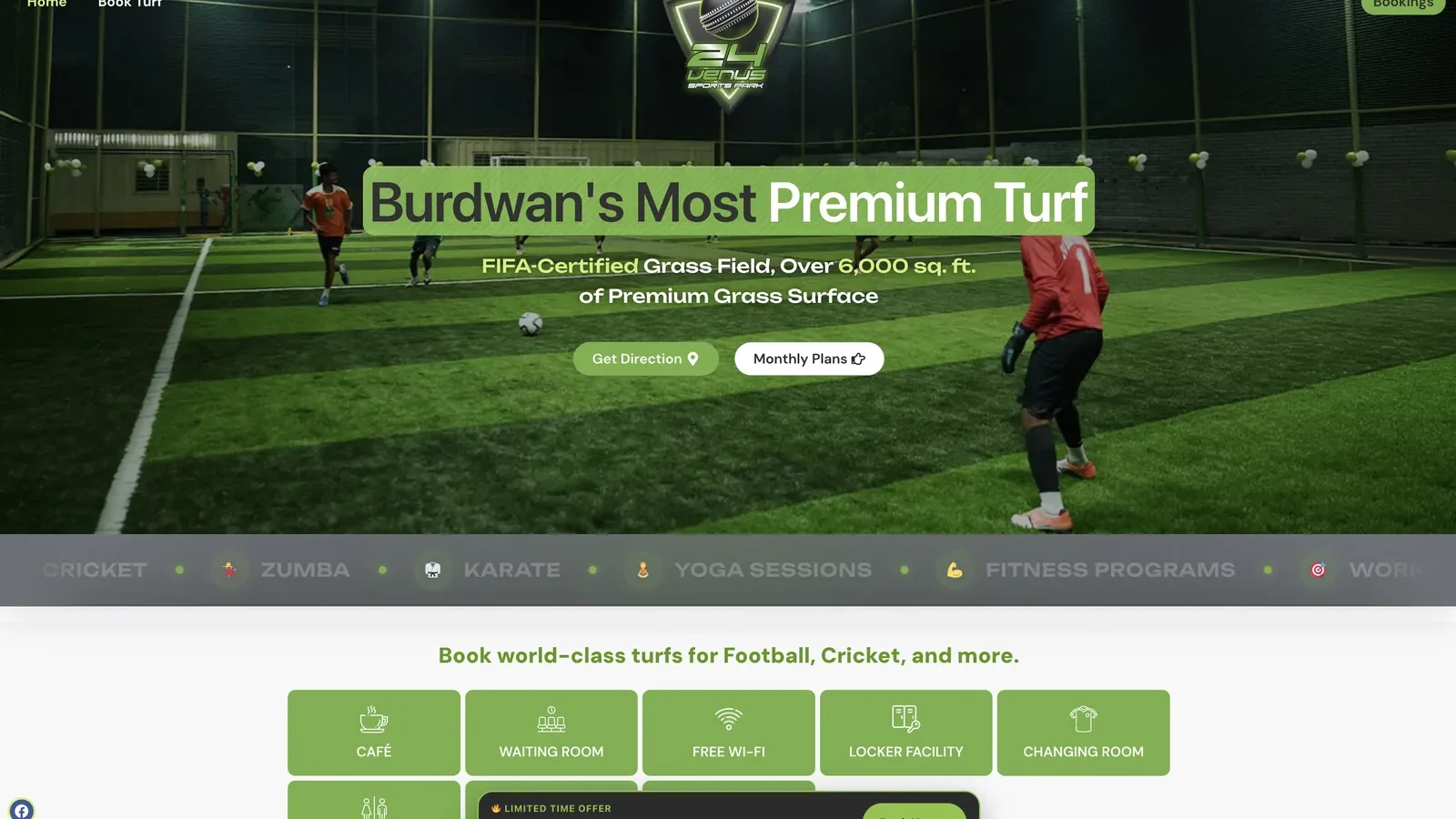
24 Venus Sports Park in Bardhaman, West Bengal runs a football and cricket turf around the clock. When I started working with them, bookings came in by phone and WhatsApp. That works until two people want the same 9 pm slot, a regular asks to move his booking to Saturday, and someone has to work out what he owes.
The answer was a custom WordPress plugin — Venus Turf Booking — that now takes the venue’s bookings every day on 24venus.in. This is how it is put together and what I learned keeping it running.
Why a custom plugin and not a booking plugin from the directory?
Generic appointment plugins are built around a person’s calendar: a dentist, a consultant, a salon chair. A turf is different. Slots run through the night, price changes between day and night, customers book packages for a month, and staff also sell slots at the gate. Every generic plugin I evaluated would have needed several add-ons and still not handled reschedules with price differences. Writing the core logic once, properly, was cheaper than fighting a plugin for years.
The slot engine
Everything depends on one rule: two confirmed bookings can never overlap. Two time ranges overlap when each starts before the other ends, so the availability check is a single query:
$clash = $wpdb->get_var( $wpdb->prepare(
    "SELECT COUNT(*) FROM {$table}
     WHERE turf_id = %d AND status IN ('confirmed','pending_payment')
     AND start_at < %s AND end_at > %s",
    $turf_id, $new_end, $new_start
) );
The same check runs for online bookings, manual bookings made by staff and reschedules. Staff see conflicts in real time while they are entering a walk-in booking, so the gate can never sell a slot that was paid for online a moment earlier.
Payments as a state machine
Online payment goes through Razorpay. The important part is not the checkout — it is what happens around it. A booking moves through explicit states (created, waiting for payment, confirmed, cancelled, rescheduled), and each transition is triggered by a verified event rather than by the browser coming back to the site. That way a customer who closes the tab after paying still gets a confirmed booking, and an abandoned checkout releases its slot.
Over the years I have added features around that state machine without changing its core. That rule has saved more production incidents than any test.
Reschedules with refunds and top-ups
The most requested feature was letting customers move their own booking. The rules the venue settled on:
- A booking can be rescheduled up to three hours from when it was created.
- If the new slot is cheaper (night to day, for example), the difference is refunded through Razorpay.
- If it is more expensive, the customer pays a top-up before the move is confirmed.
- Every change is recorded in a booking activity log so staff can answer “what happened to my booking?” in seconds.
Tools for the staff, not just the customers
A booking system lives or dies in the admin. Release by release, the plugin gained:
- An All Bookings screen with a summary strip of the day’s numbers.
- A dedicated Reschedules panel.
- A customer CRM panel with each player’s history.
- Push notifications and a feedback collection panel.
- Monthly packages for regular teams.
- A staff portal and card layouts that work on a phone at the gate.
Keeping a live system stable
Because the plugin takes real money every day, my release process is deliberately boring: every file is syntax-checked before release, every version is numbered and shipped as a ZIP, database changes are written as migrations that are safe to run twice, and features are tested against the payment states before they go live. When a bug did slip through — manual bookings with a zero price were being auto-cancelled as unpaid — the fix shipped as a small point release the same day.
What I would tell another venue owner
- Write down your real rules first: hours, prices, cancellations, packages. The software is the easy part.
- Make the staff screens as good as the customer screens.
- Treat payments as states, not pages.
- Plan for change — the best features came from staff requests after launch.
Read the full 24 Venus Sports Park case study, or see booking system development if you need something similar.